Serving Duluth, St. Cloud & Alexandria, MN


Two easy ways to join your video visit, and who to reach if something goes wrong.
Request an Appointment →Seeing your provider is easier than ever with telehealth. We offer select therapy appointments on Wednesdays, and medication management for everything from anxiety to psychosis. TMS and Spravato evaluations are typically scheduled over telehealth as well, with the treatments themselves taking place in the clinic. If coming to the clinic is not an option, here is how to join your visit.
Select therapy appointments by video on Wednesdays.
Psychiatry and medication appointments for anxiety, depression, sleep and more.
Your first evaluation is usually by video. Treatment sessions happen in the clinic.
Clinic staff will email you an encrypted Zoom link before your appointment.
Clinic staff will send you an email with an encrypted Zoom link. Save this email. If you cannot find it, check your spam folder.

About five minutes before your appointment, open the Zoom link from the email and wait for your provider to join.
Do not expect the provider to call you. It is important that they see you, so if there are issues, contact the clinic team right away using the options below. We want you to thrive, and we will work through any kinks before your appointment.
You can always log in to the patient portal to check in for your scheduled appointment and leave notes you would like the provider to see. Do this at least 15 minutes before your appointment begins.
If this is your first visit, you must activate your account and choose a username and password. If the portal says you already have an account, request a verification code to log in, or clinic staff can reset your password.
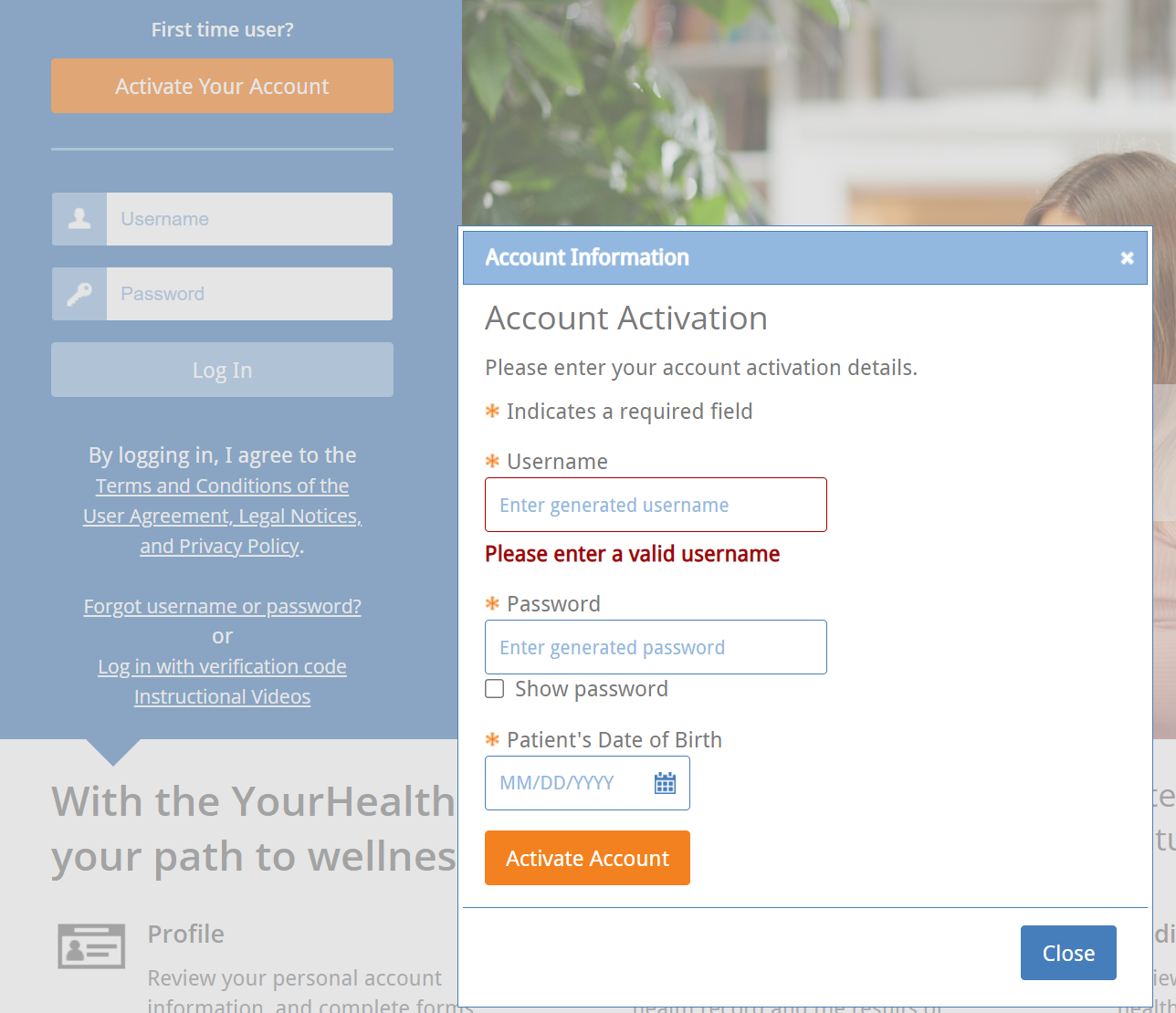
The first time you log in you will answer a few necessary questions. You will not need to do this again.
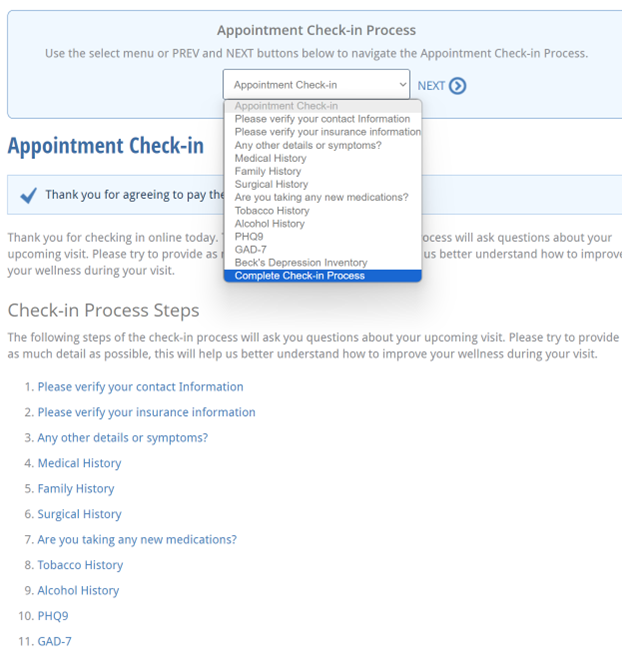
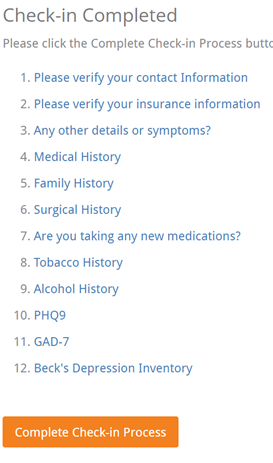
Click Appointment Check-In and work through the steps. When you reach the bottom of the list, choose Complete Check-In Process.

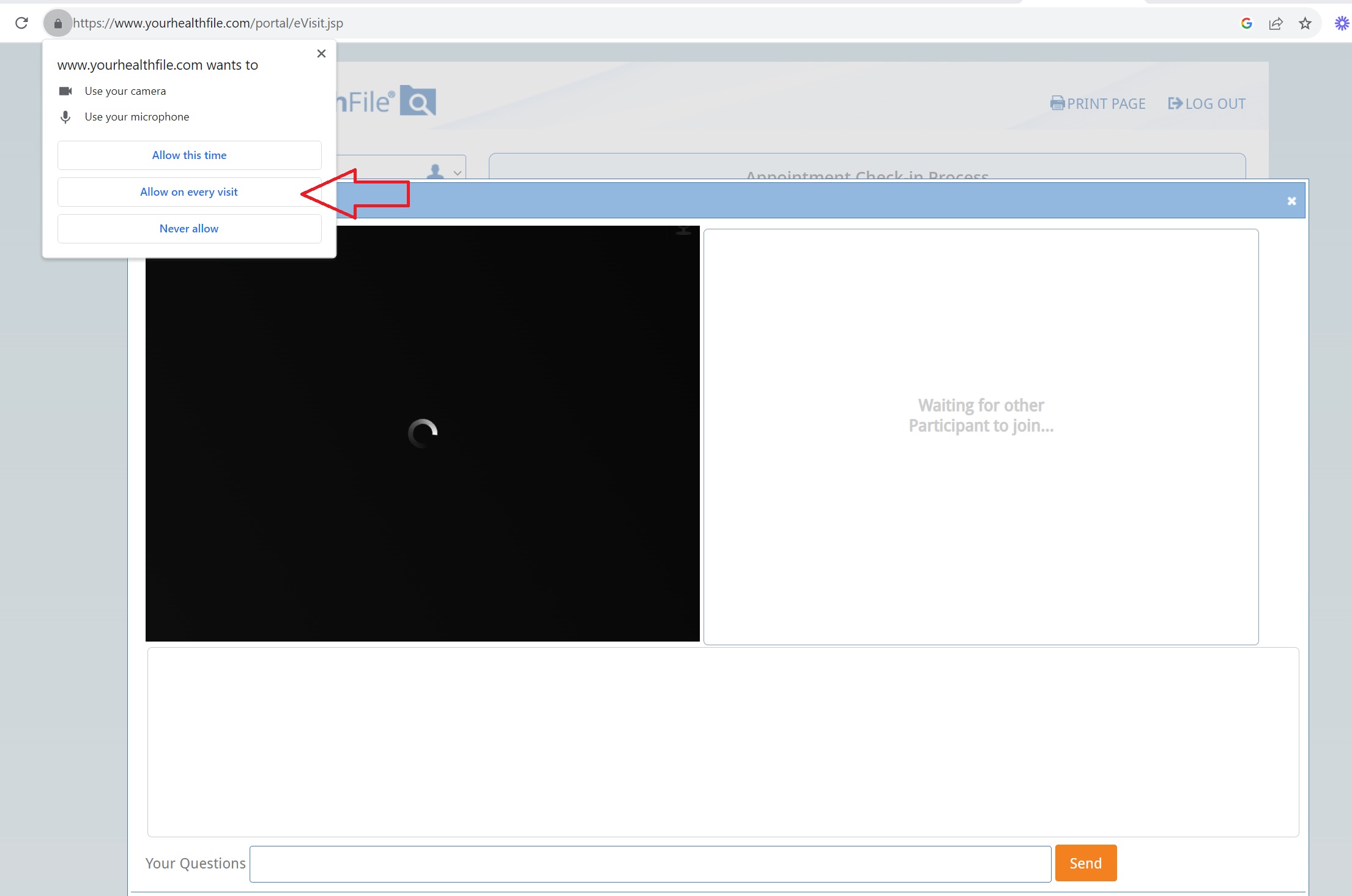
Click Allow when your browser asks, then wait for your provider to log in as well.
If you cannot see your provider at your scheduled time, text the number that sent you your check-in and confirmation messages, or simply reply to any text you have received from us. A team member will reach out with further instructions.
Or call your clinic:
Our Patient Portal Details page covers activating your account, what you can do there, and how to get help logging in.
Request an appointment
Tell us a little about yourself and the clinic you would like to visit. We verify insurance for you, and most plans need no referral.
We will review your message and be in touch soon.
Please do not include medical details here. We will follow up by phone.
Refer a patient, a friend, or make the decision for yourself. Contact us today to set up a free consultation with an Intake Coordinator.